
View attachment 4550
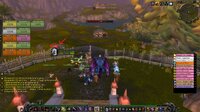
It's done with 3 easy scripts / macro - Reason for posting this is due to the fact that when you track your HK achievement its not going to show up your current HKs - It only shows the HKs for the character you're currently playing.
Macro 1:
Macro 2:
Macro 3:
Macro 1 sets it up, Macro 2 makes it update when you get a kill, and Macro 3 lets you click and drag it.
It's done with 3 easy scripts / macro - Reason for posting this is due to the fact that when you track your HK achievement its not going to show up your current HKs - It only shows the HKs for the character you're currently playing.
Macro 1:
Code:
/run hkF=CreateFrame("FRAME", nil); hkF:SetPoint("CENTER"); hkF:SetSize(100,25); hkF.t=hkF:CreateFontString(nil, "ARTWORK"); hkF.t:SetPoint("CENTER"); hkF.t:SetFont(GameFontNormal:GetFont()); hkF.t:SetText(GetPVPLifetimeStats());Macro 2:
Code:
/run hkF:SetScript("OnEvent", function() hkF.t:SetText(GetPVPLifetimeStats()); end); hkF:RegisterEvent("PLAYER_PVP_KILLS_CHANGED");Macro 3:
Code:
/run hkF:EnableMouse(true); hkF:SetMovable(true);hkF:SetScript("OnMouseDown", hkF.StartMoving); hkF:SetScript("OnMouseUp", hkF.StopMovingOrSizing);Macro 1 sets it up, Macro 2 makes it update when you get a kill, and Macro 3 lets you click and drag it.